

AI-embedded pharmacy ERP
The system your pharmacy runs on
The counter, the shelf, the supplier, and the ledger — all writing to one live stock record.
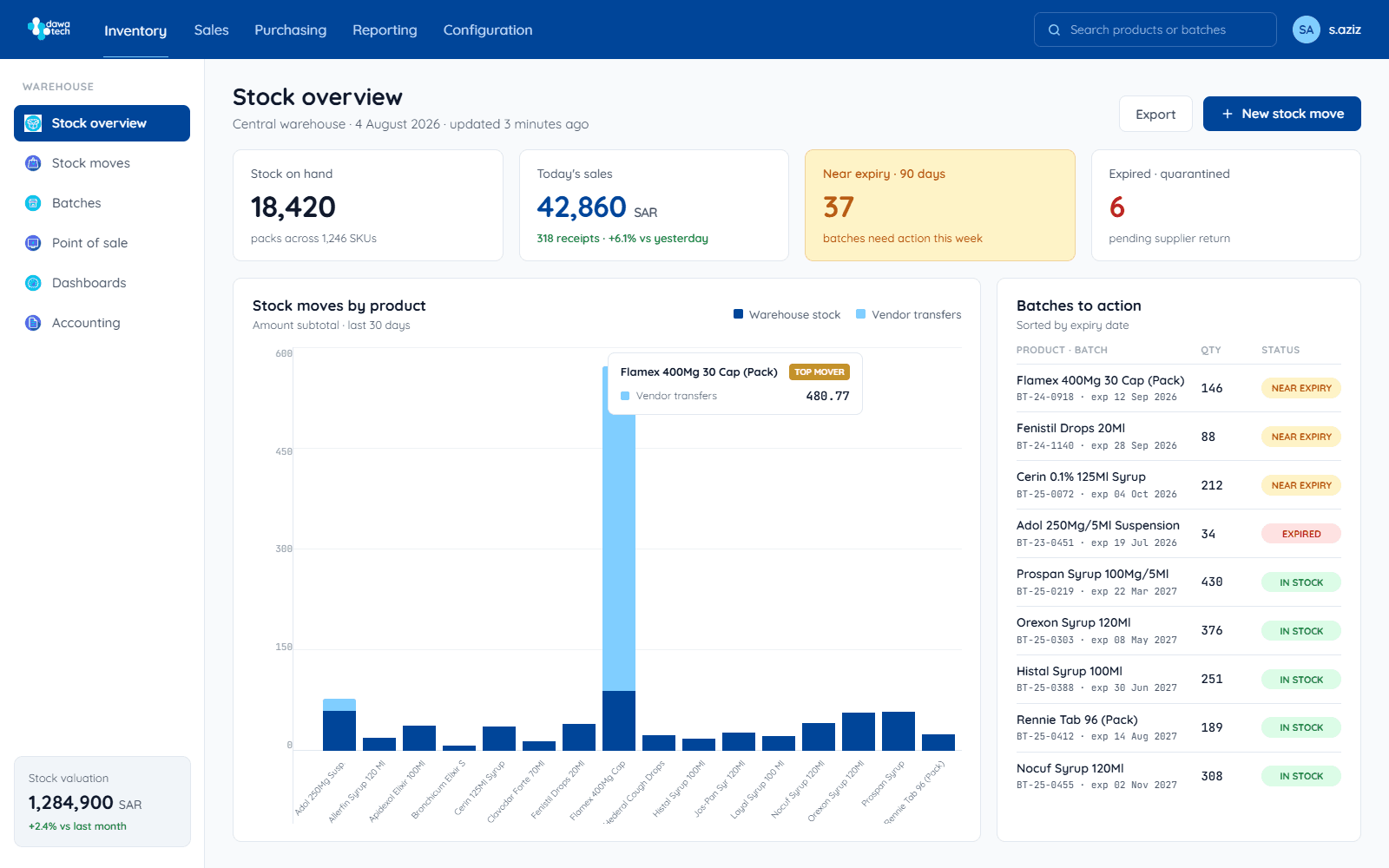
dawaTech ERP is a cloud pharmacy management system for pharmacies in Saudi Arabia, Egypt, and Jordan. It covers point of sale, batch- and expiry-level inventory, purchasing from every supplier, accounting and cash flow, analytics, and regulatory reporting in SFDA, EDA, and JFDA formats — all on one live stock record, with AI agents built into the same system.
The four places an independent pharmacy loses money
Every one of them comes from the same root cause: the stock record, the till, the purchase order, and the ledger are four different systems that disagree. dawaTech makes them one.
Stock expires on the shelf before anyone notices.
Every unit carries its batch and expiry date. Near-expiry stock is flagged at six, three, and one month, with the action attached — discount it, return it to the distributor, or move it to the branch that will sell it.
You buy blind, one supplier at a time.
Live availability and prices from every connected distributor in one basket, with reorder suggestions drawn from your own sales history — so you buy at the right price, in the right quantity, from whoever actually has it.
The regulatory report is assembled by hand at the end of every month.
Reports come out in the format SFDA, EDA, or JFDA expects, generated from data recorded as you worked, with a full audit trail. You export — you don't assemble.
Nobody can see the money until the accountant closes the month.
Sales, purchasing, receivables, payables, and cash flow post themselves from the counter, with an aging report you can open on any day of the month rather than waiting for the close.
Inventory & expiry
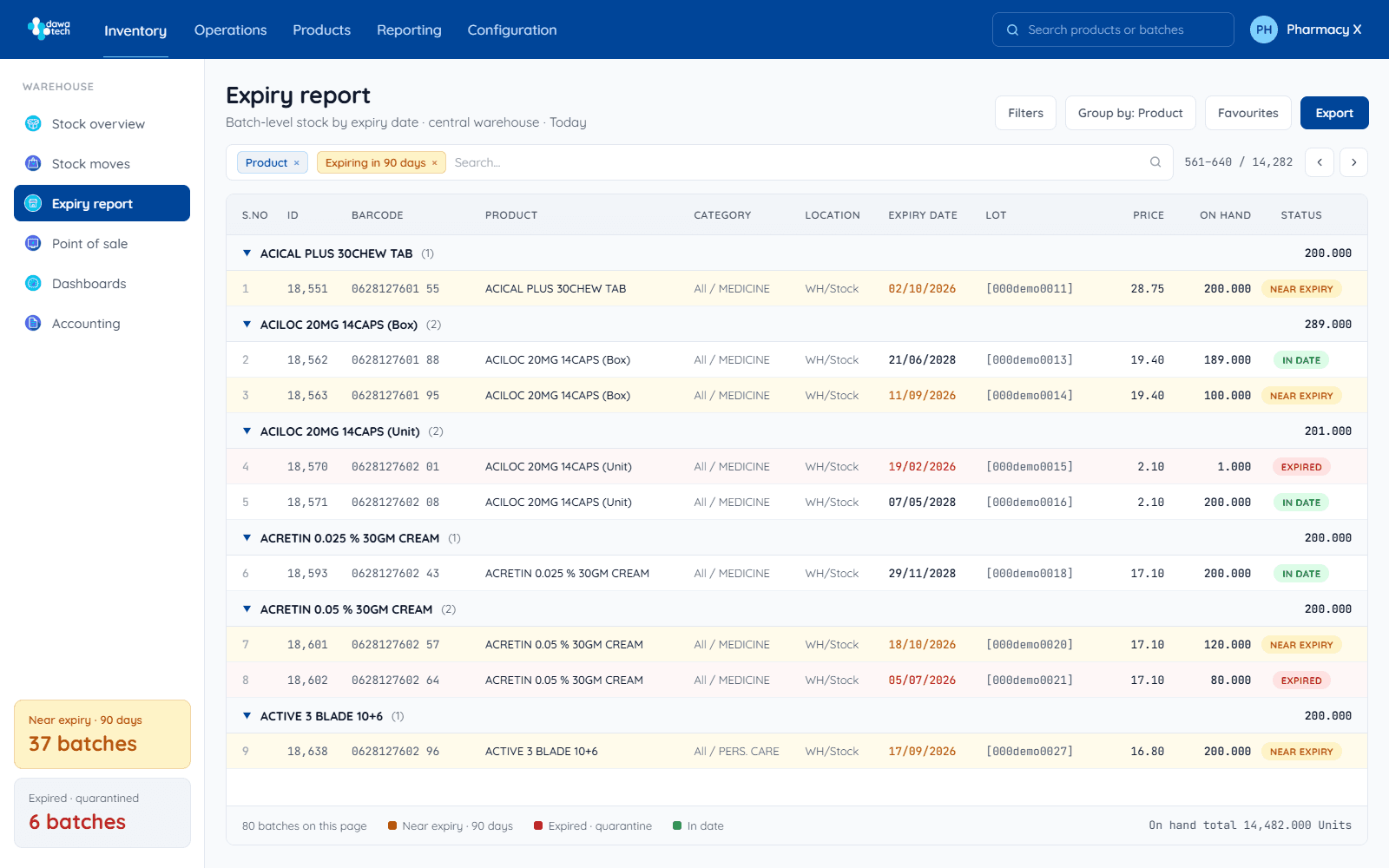
Every unit tracked by batch and expiry date. Near-expiry stock is flagged in amber months ahead, with suggested actions: discount, return to distributor, or transfer.
- Batch & GTIN-level tracking
- Near-expiry alerts at 6 / 3 / 1 months
- Automatic reorder suggestions
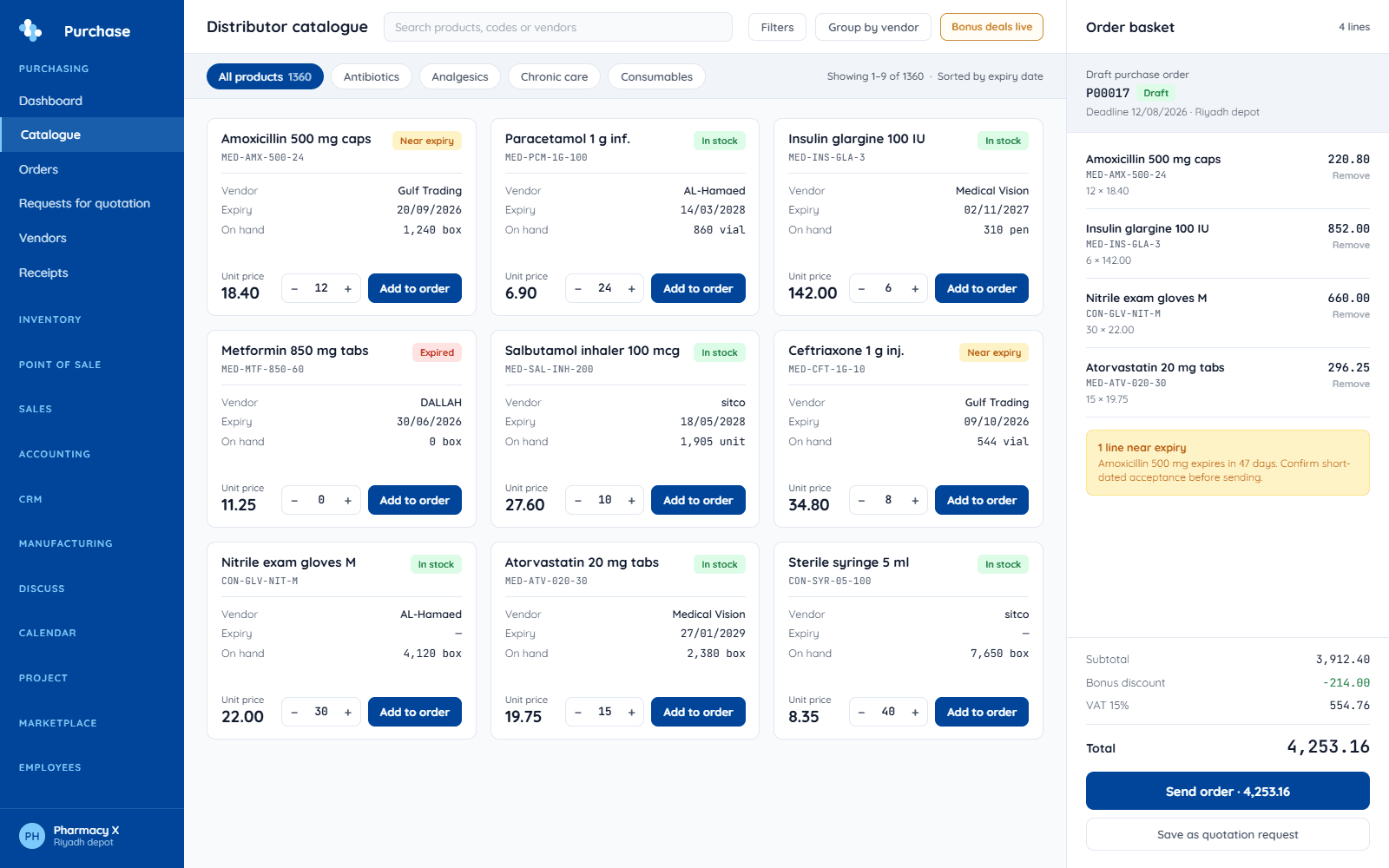
Ordering
Browse connected distributors' live catalogs, compare prices, and send structured orders. Distributors receive them in their own dawaTech workspace — no re-keying on either side.
- Live availability and pricing
- One basket across multiple distributors
- Order status tracked to delivery
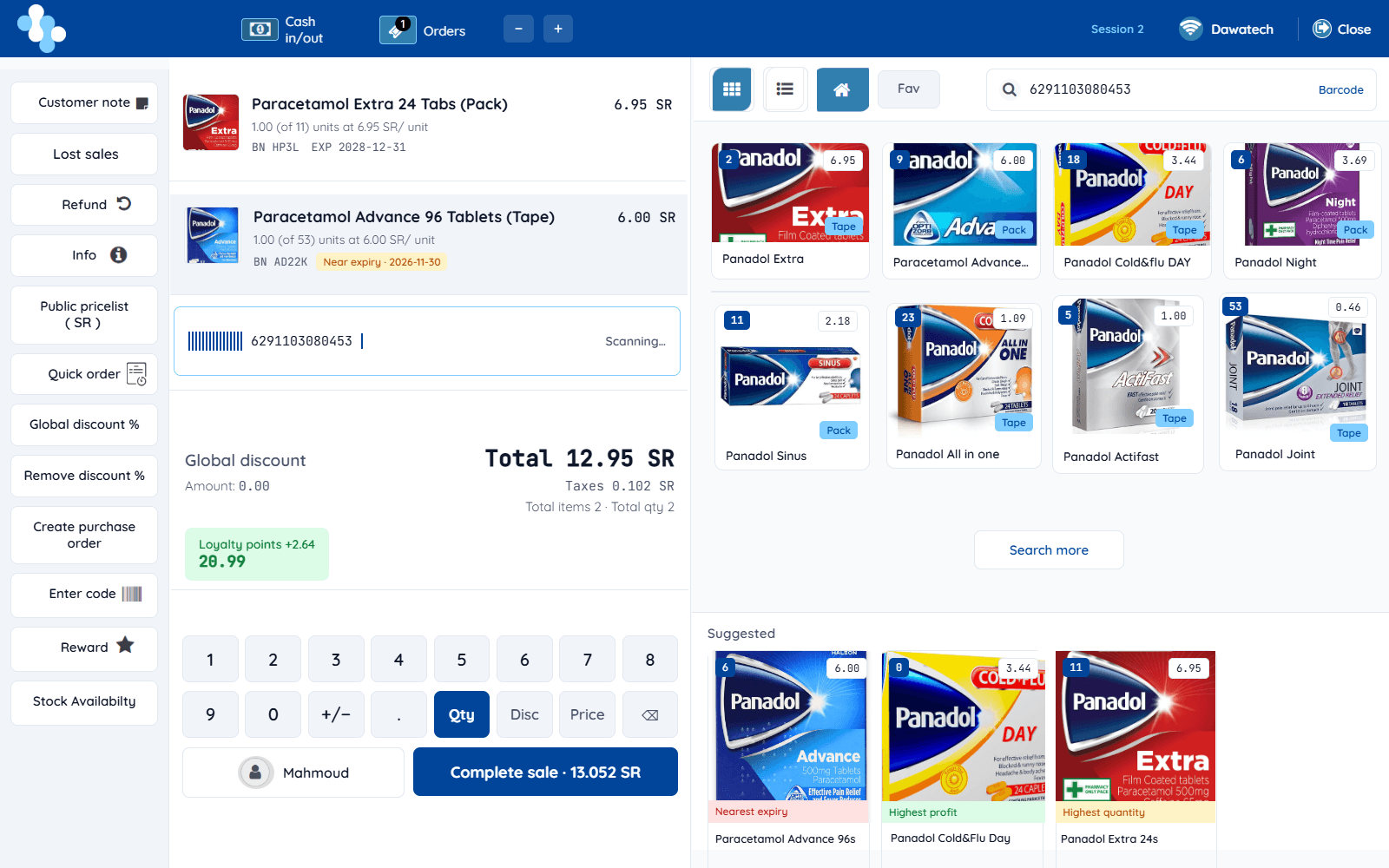
Point of sale
Scan, sell, done. Each sale decrements the right batch, so expiry tracking and reports stay accurate without any extra work at the counter.
- Barcode-first, keyboard-friendly
- Works offline, syncs when back
- Prices in SAR, EGP, or JOD
Regulatory reporting
Choose the regulator, choose the period, export. Reports are generated in the format SFDA, EDA, or JFDA expects — from data recorded as you worked.
- SFDA, EDA, JFDA formats built in
- Two clicks from data to file
- Full audit trail per report
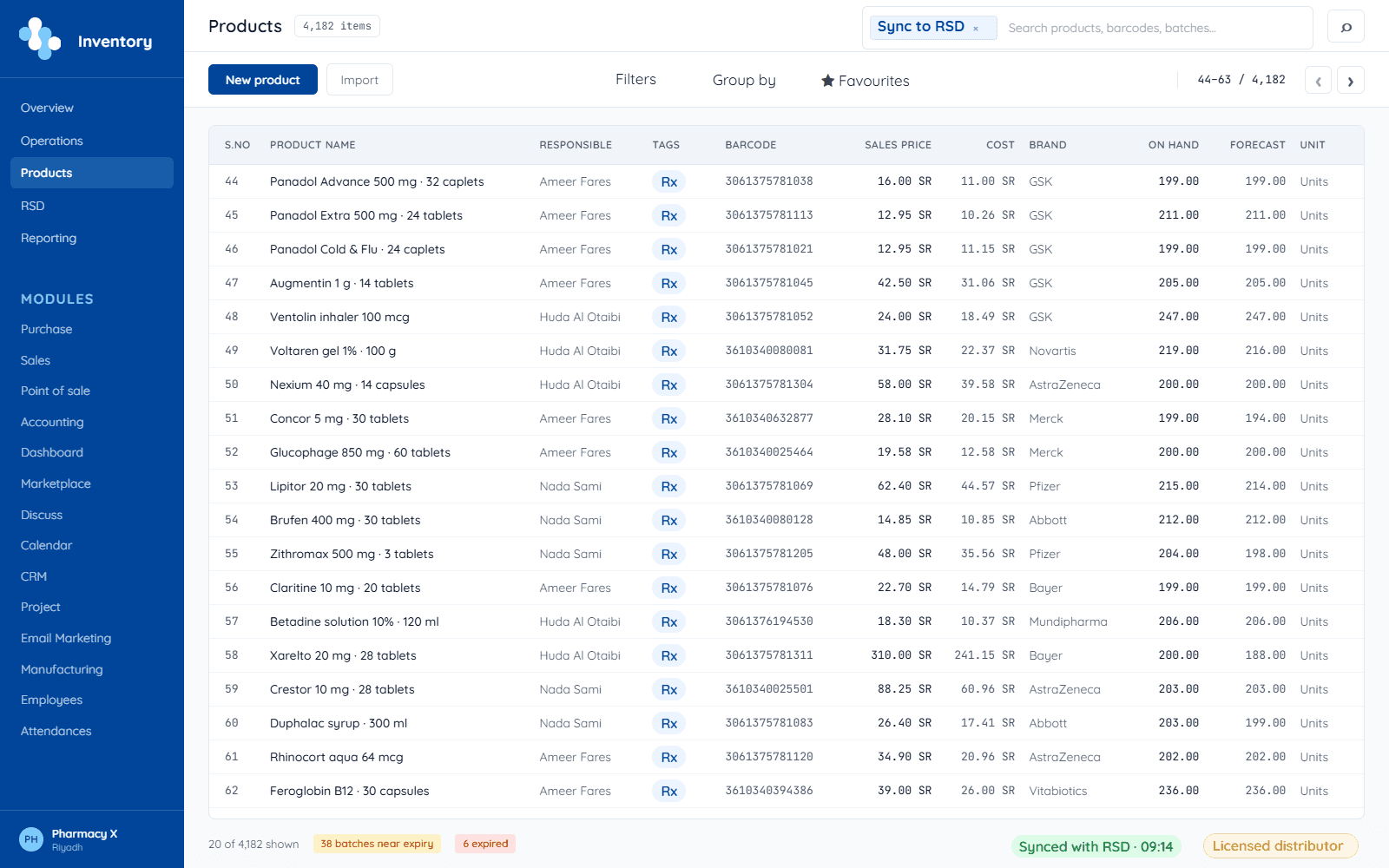
Accounting & finance
The ledger is not a separate system you reconcile to later. Sales, purchases, and stock movements post themselves as they happen, so the financial picture is current on any day of the month.
- Entries post from the counter, not by hand
- Inter-company and multi-store accounting
- Receivables, payables, cash flow, and the aging report
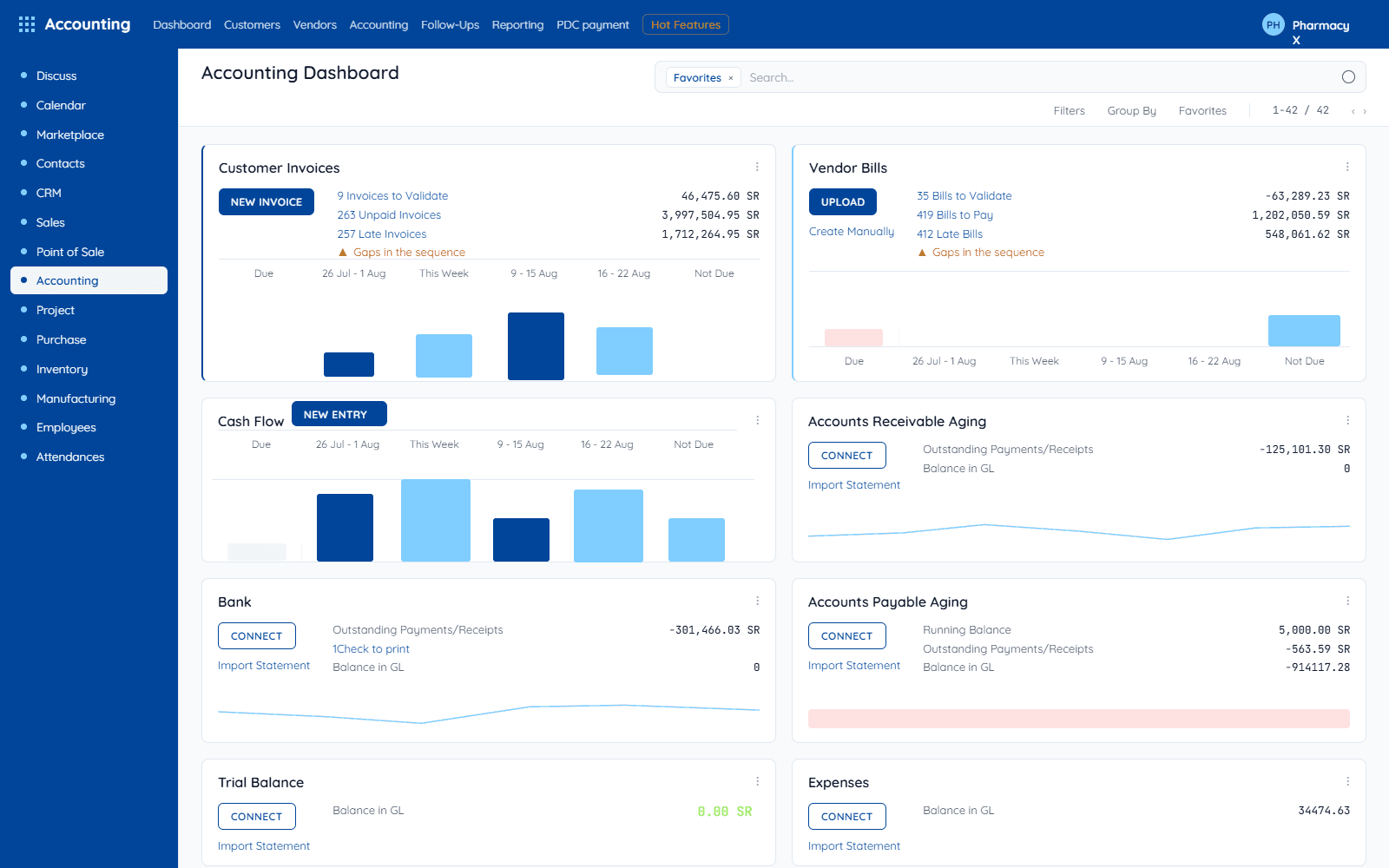
Analytics & reporting
Which lines earn their shelf space, which branch is carrying the group, which employee needs support. Because entries post as you trade, the numbers are live rather than a month behind.
- Reporting by branch, by employee, and by product
- Group-level analytics across a chain
- Exportable for the accountant or the board
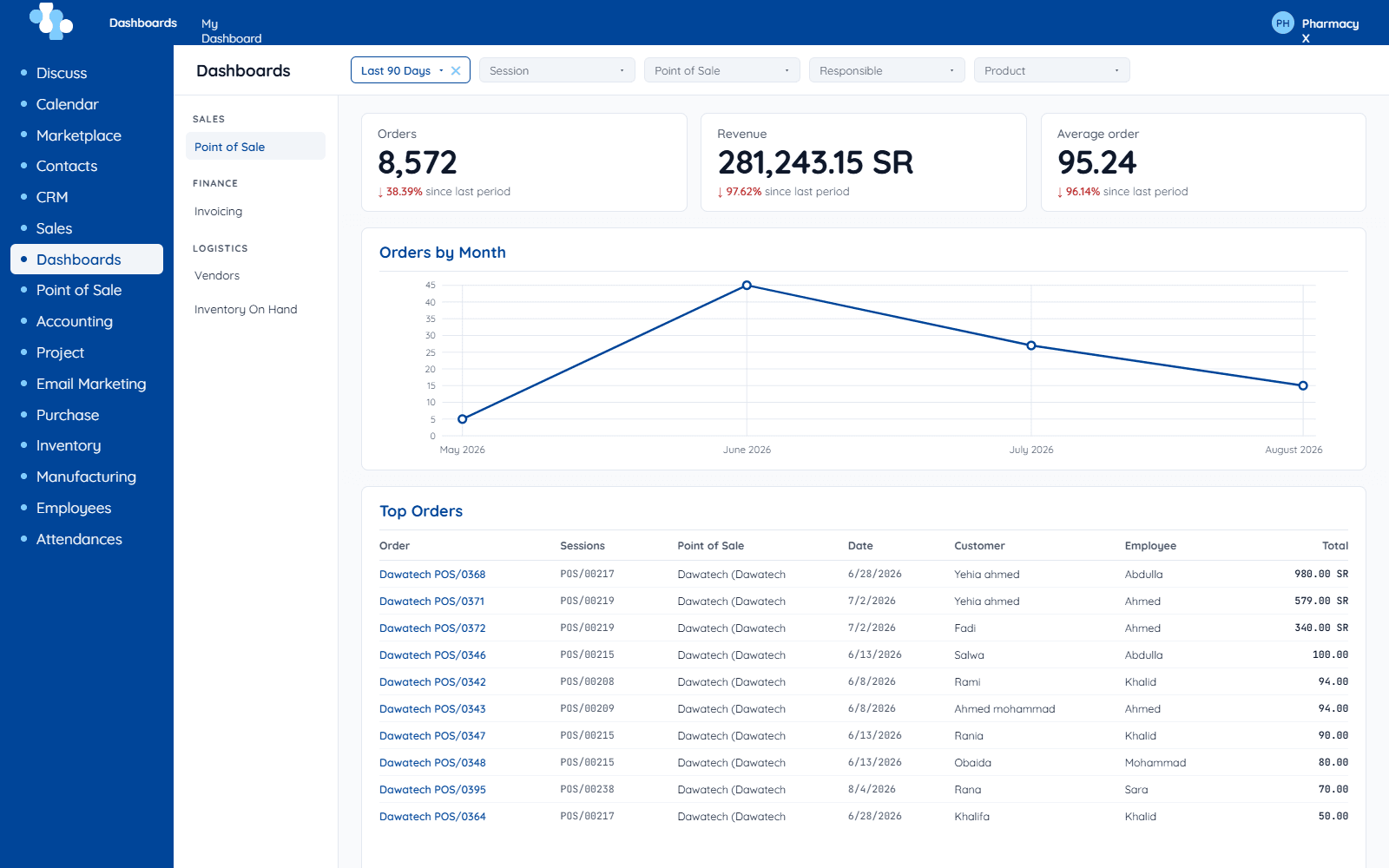
Compounding
Prepare formulas and mixes without the stock record drifting. Ingredients come out of inventory at the moment of preparation, and the prepared item goes back in with its own cost and label.
- Formula and mix management
- Cost calculation per preparation
- Barcode labels for prepared items
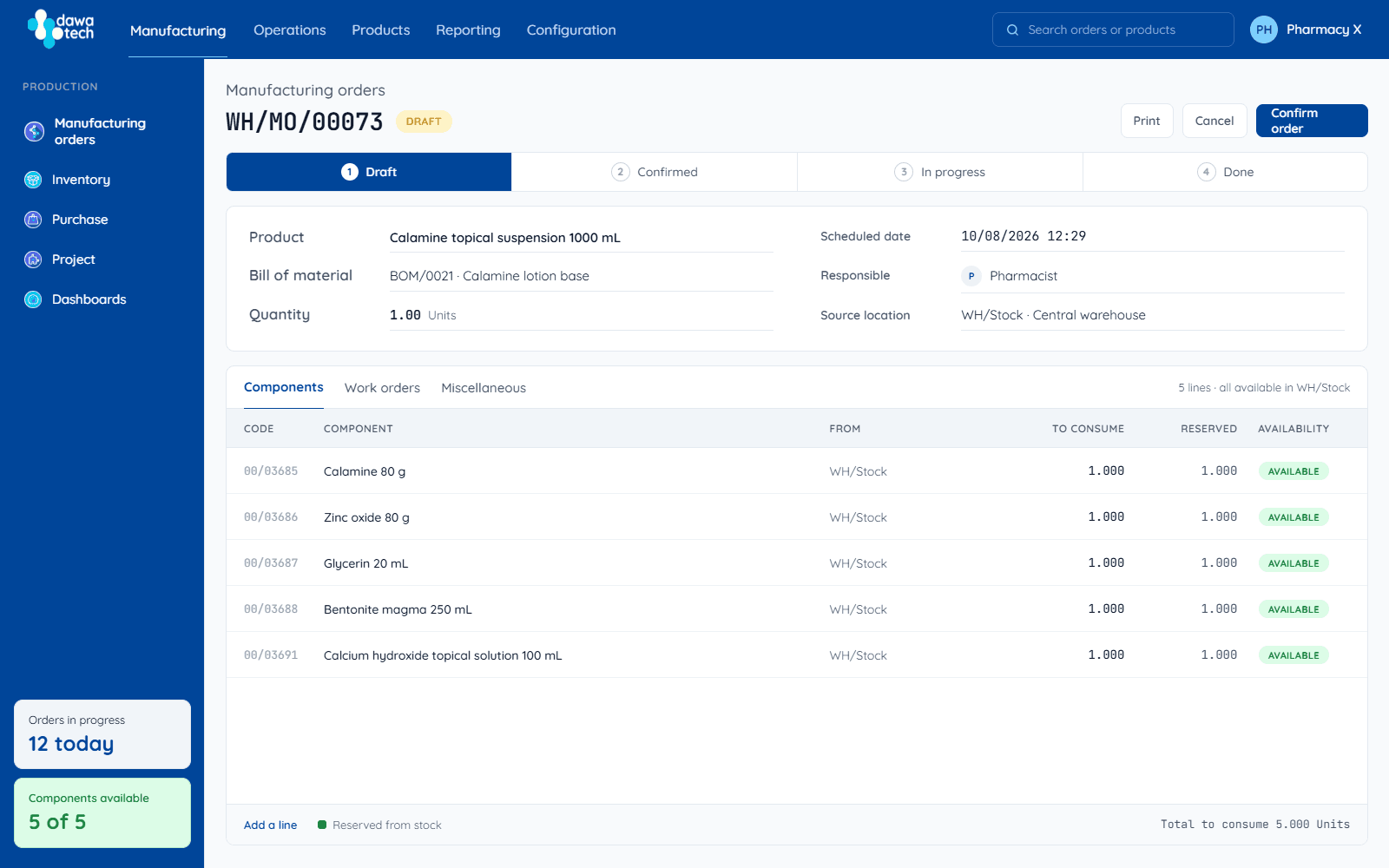
From the shelf to the report, in four steps
One live stock record runs through everything — set it up once and every module works from the same truth.
Set up your stock
Products, batches, and expiry dates come in once — the live stock record starts here.
Sell at the counter
The POS works online or offline, and every sale updates batch-level stock the moment it happens.
Refill from every supplier
Gaps become dawaOrder orders across warehouses, distributors, and sub-agents — deliveries land back in stock automatically.
Export the regulator's report
SFDA, EDA, or JFDA formats, generated from data recorded as you work — you export, you don't assemble.
Everything that runs on the same record
The four modules above carry the day. This is the rest of the system they sit inside — one login, one stock record, no exports between departments.
At the counter
- Barcode-first point of sale that holds its speed at peak hours
- Works offline and syncs the moment the connection returns
- Cash, card, and the local payment methods your customers expect
- ZATCA e-invoicing on Saudi sales
- Wasfaty e-prescription dispensing
Inventory & expiry
- Batch- and GTIN-level tracking on every unit
- Near-expiry alerts at 6, 3, and 1 months
- Action workflows: discount, return to distributor, or transfer
- Stock transfers between branches
- Compounding with cost calculation, formulas, and barcode labels
Buying & suppliers
- Live availability and pricing from connected distributors
- One basket across warehouses, distributors, and sub-agents
- Reorder suggestions from your own sales history
- Bulk ordering and supplier discounts
- Central purchasing across a group
- Order status tracked through to delivery
Money & accounting
- Day-to-day entries post themselves from the counter
- Inter-company and multi-store accounting
- Receivables, payables, cash flow, and the aging report
- Card, wallet, and BNPL partners connected
- Access to bank and fintech financing for pharmacies banks are slow to serve
Insight & AI
- Reporting by branch, by employee, and by product
- Group-level analytics across a chain
- AI Advanced Planning — demand assessed across branches, replenishment prepared
- Five further AI agents in development
Compliance & government
- SFDA, EDA, and JFDA reports in the format each expects
- Full audit trail on every regulatory report
- RASD drug track-and-trace integration
- Access levels that keep sensitive data with the people who need it
- Insurance dispensing and claims through connected add-ons
Your pharmacy's AI coworker
Not a chatbot bolted onto a dashboard. Agents that read your real data and do the work — under your permissions, with every run logged.
Configurable, not canned
You decide what each agent can see and what it is allowed to do. Chat with it directly, or let a system event set it running and find the work already done.
Your permissions, not a back door
Every action runs under the permissions of the user behind it. An agent can never read data or take a step that person could not take themselves.
Auditable by default
Every run is recorded — what triggered it, what data it read, what it changed, and why. You can always see exactly what the AI did.
Built to survive a pharmacy's worst day
Peak hour, a dropped connection, a new branch, a staff change, an auditor at the door — none of it should stop the counter.
Cloud, any device
Check stock, sales, and cash from the shop floor, the office, or your phone.
Built for volume
Thousands of transactions at once without slowing the queue at the till.
Offline-capable counter
The POS keeps selling through an outage and syncs automatically after it.
Roles and audit trails
Access levels per person, and a record of who changed what.
Arabic-first, English available
Written in Arabic for the people using it, not translated into it.
SAR, EGP, and JOD
Prices, invoices, and reports in the currency of the market you trade in.
One branch or fifty, on the same system
The essentials that keep a pharmacy solvent
Expiry control so stock is not written off, supplier price comparison so you buy at the right price, compliant reporting without the manual assembly, and payments at the counter. No IT team required — it runs in a browser.
Visibility and control across every branch
Stock, cash, and sales across all branches on one record, inter-company and multi-store accounting, reporting by branch and by employee, cover one branch's shortage from another, and loyalty across the group.
Testimonials from pharmacies that run on dawaTech
 12 branches · migrated with zero downtime
IT Manager · Elkamah Pharmacies · Egypt
“We connected 12 branches to dawaTech, branch after branch, without stopping work for a single day. No local servers, no manual backups.”
Frequently asked questions
A cloud-based pharmacy management system covering inventory, point of sale, ordering, and regulatory reporting on one live stock record. It also includes sales, accounting, compounding, and finance modules.
Yes — AI is built into the ERP rather than sold as a separate system. The Advanced Planning agent, which assesses demand across your branches and prepares replenishment, is available today as an add-on. Pharmacist, finance, growth, support, and chronic-refill agents are in development.
Yes. Regulatory reports are generated in the format SFDA (Saudi Arabia), EDA (Egypt), and JFDA (Jordan) expect, from data recorded as you work, and dawaTech integrates with government pharmacy platforms including Wasfaty and RASD. Saudi invoicing follows the ZATCA e-invoicing format.
Reporting by branch, by employee, and by product as standard, plus receivables, payables, cash flow, and an aging report that stays current because entries post from the counter. Groups and chains also get consolidated group-level analytics.
Yes, through connected add-ons — Yusur for insurance-covered dispensing and NPHIES for submitting claims through the national health exchange. Availability varies by market; see the add-ons page.
dawaTech operates in Saudi Arabia, Egypt, and Jordan, with prices handled in SAR, EGP, or JOD.
Yes. The point of sale works offline and syncs automatically when the connection returns, so the counter never stops.
Yes. dawaTech tracks stock, sales, and cash across branches, with reporting by branch and by employee and the ability to cover one branch's needs from another.
Every unit is tracked by batch and expiry date, with near-expiry stock flagged at 6, 3, and 1 months ahead plus suggested actions — discount, return to distributor, or transfer.
Access levels and safety standards keep sensitive data with the people who need it, and every regulatory report keeps a full audit trail.
Want to see it live?
We'll walk through every module on a demo account — or on your data.